
Call us now :07317168935
 Send Inquiry
 Send Inquiry
Dlink Gigabit Switch
Price 90 INR/ Piece
MOQ : 10 Pieces
Dlink Gigabit Switch Specification
- Usage & Applications
- SOHO, Small Business Networking, LAN Expansion
- Antenna
- No Antenna
- Remote Control
- Yes
- Interface Type
- RJ45 Ethernet
- Power Consumption
- Max 5.3W
- IP Routing
- Unmanaged, No Routing
- Dimension (L*W*H)
- 171 x 98 x 28 mm
- Device Type
- Desktop Switch
- Power Supply
- 100-240V AC, 50/60Hz
- Port
- 8 x 10/100/1000Mbps RJ45 ports
- Network Device
- Gigabit Ethernet Switch
- Operating Temperature
- 0C to 40C
- Features
- Plug & Play Installation, Auto MDI/MDIX, IEEE 802.3az Energy-Efficient Ethernet
- Weight
- 380g
- Frequency
- 50/60Hz
- Number Of Ports/Pins
- 8 Ports
- Connectivity Type
- Wired
- Cable Length
- Up to 100 meters (Cat 5e/6)
- Mounting
- Desktop or wall-mountable
- LED Indicators
- Power, Link/Activity
- MAC Address Table
- 4K entries
- Housing Material
- Plastic
- Standards Compliance
- IEEE 802.3, IEEE 802.3u, IEEE 802.3ab, IEEE 802.3x
- Buffer Memory
- 192 KBytes
- Humidity
- 10% to 90% RH, non-condensing
- Packet Forwarding Rate
- 11.9 Mpps
- Switching Capacity
- 16 Gbps
- Storage Temperature
- -10°C to 70°C
Dlink Gigabit Switch Trade Information
- Minimum Order Quantity
- 10 Pieces
- Supply Ability
- 5000 Pieces Per Month
- Delivery Time
- 2-4 Days
About Dlink Gigabit Switch
We are an unparalleled name in the industry, engaged in offering premium quality of Dlink Gigabit Switch. It uses low power components and passive cooling to reduce energy cost and improve reliability. Dlink Gigabit Switch empowers devices like 4K HDTVs and DVRs to connect directly to the internet without depending on Wi-Fi.
Specification
| Brand | D-Link |
| Number of Ports | 8 |
| Link Speed | 10/100Mbps |
| Protocol | CSMA/CD |
| RAM Buffer | 96 KB |
| Dimensions | 141.5 x 78.5 x 23.8 mm |
| Power | 5 V/0.55 A Power Adapter |
Powerful and Efficient Gigabit Networking
Experience uninterrupted connectivity with 8 high-speed 10/100/1000Mbps RJ45 ports, capable of handling intensive network demands. The switch manages a total switching capacity of 16 Gbps, ensuring swift data flow across devices. Its energy-efficient design, compliant with IEEE 802.3az, helps reduce power consumption without sacrificing performance.
Flexible Installation for Any Workspace
The D-Link Gigabit Switch fits desktop spaces and can also be wall-mounted, offering installation versatility for diverse office layouts. Its compact dimensions and lightweight plastic housing make it adaptable for tight or cluttered environments, while simple plug & play setup streamlines deployment.
Reliable Performance and Easy Monitoring
Utilize clear LED indicators for power and link/activity to easily monitor switch status. With a 4K MAC address table and 192 KBytes buffer, the switch accommodates expanding networks. Without management complexity, its ideal for users seeking straightforward, stable connectivity for business-critical tasks.
FAQs of Dlink Gigabit Switch:
Q: How do I install the D-Link Gigabit Switch in my office?
A: The D-Link switch offers straightforward installation with its plug & play functionality. Simply connect your devices using Cat 5e/6 Ethernet cables up to 100 meters long. Depending on your space, you can either place the switch on a desktop or mount it to a wall for better accessibility.Q: What benefits does the D-Link Gigabit Switch offer to small businesses?
A: The switch provides fast, reliable wired connectivity for up to eight devices, making it ideal for expanding LANs in small offices. With its energy-saving features and robust packet forwarding, it ensures efficient data transfer and stable network performance without complex management.Q: Where can the D-Link Gigabit Switch be used?
A: This switch is designed for SOHO, small business environments, and LAN expansion projects. Its flexible mounting options and durable design make it suitable for placement in server rooms, offices, or any workspace requiring wired network enhancement.Q: What networking standards does this switch comply with?
A: The switch supports multiple industry standards, including IEEE 802.3 (Ethernet), IEEE 802.3u (Fast Ethernet), IEEE 802.3ab (Gigabit Ethernet), and IEEE 802.3x (Flow Control), ensuring compatibility with a wide range of network devices.Q: How does the switch handle large data traffic?
A: With a switching capacity of 16 Gbps and a packet forwarding rate of 11.9 Mpps, it efficiently manages high volumes of network traffic. The 4K MAC address table and 192 KBytes buffer further enhance its ability to support multiple devices simultaneously without bottlenecks.Q: What is the process for expanding my existing LAN with this switch?
A: To expand your LAN, connect the switch to your existing network router or hub using an Ethernet cable. Then, plug additional devices into the switchs remaining ports. No software configuration is required, making it a simple yet effective solution for network scalability.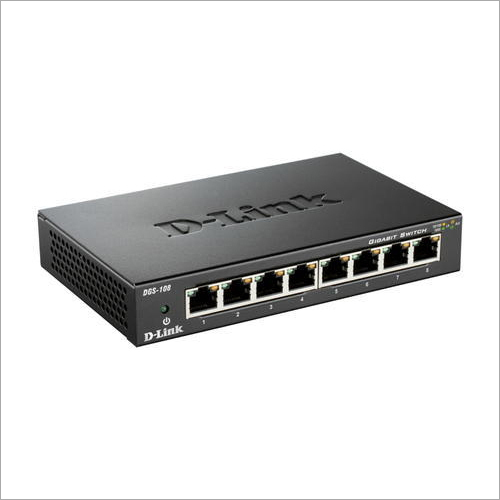
Tell us about your requirement

Price:
Quantity
Select Unit
- 50
- 100
- 200
- 250
- 500
- 1000+
Additional detail
Mobile number
Email

More Products in Networking Devices Category
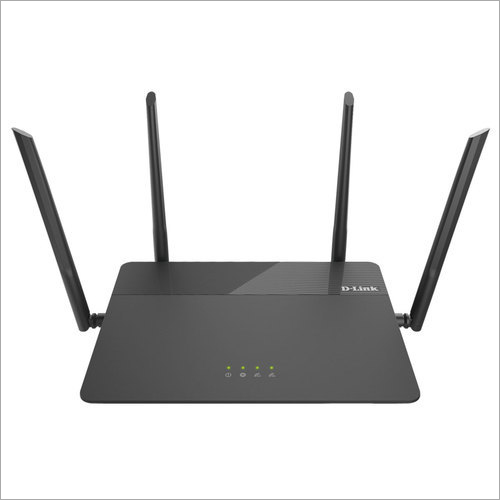
D-Link Wi-Fi Router
Price 90 INR / Piece
Minimum Order Quantity : 10 Pieces
Interface Type : 10/100BASETX Fast Ethernet
Number Of Ports/Pins : 5 Ports
Usage & Applications : Home & Small Office Networking
Connectivity Type : Other , WiFi IEEE 802.11b/g/n
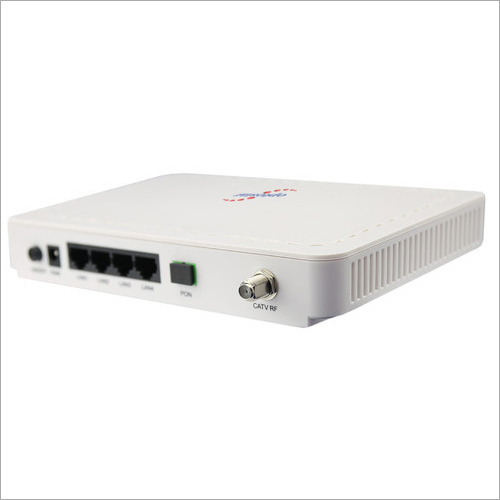
Optical Network Unit
Price 90 INR / Piece
Minimum Order Quantity : 10 Pieces
Interface Type : SC/UPC, RJ45
Number Of Ports/Pins : Two Ports (Ethernet and Fiber)
Usage & Applications : FTTH broadband, highspeed internet, IPTV, VoIP, tripleplay services
Connectivity Type : Other , Wired, Fiber Optic
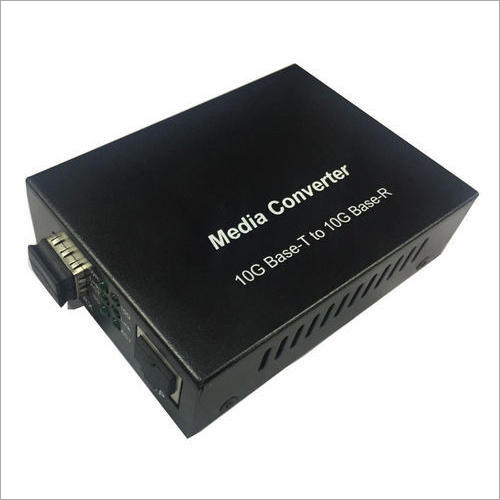
Media Converter
Price 90 INR / Piece
Minimum Order Quantity : 10 Pieces
Interface Type : RJ45, SFP
Number Of Ports/Pins : 2 Ports
Usage & Applications : Converts Ethernet signals between copper and fiber networks, suitable for enterprise, campus, and telecom applications
Connectivity Type : Wired
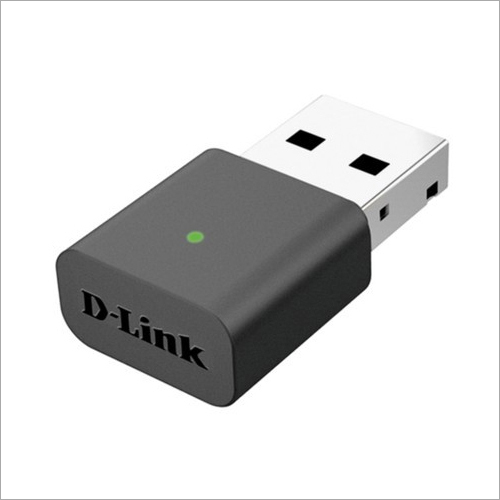
Dlink Wifi USB Adapter
Price 90 INR / Piece
Minimum Order Quantity : 10 Pieces
Interface Type : USB 2.0/1.1
Number Of Ports/Pins : 1 USB Port
Usage & Applications : Laptop/PC Wireless Network Connectivity
Connectivity Type : Other , Wireless

We Deal Only in West Bengal and Eastern Region of India

 Send Inquiry
Our Products

5, Princep Street, Opposite - Hotel Minerva, Ground Floor, Kolkata - 700072, West Bengal, India

Mr Vikash Minda
(Owner)
Mobile :07317168935
 Send Inquiry
 Send SMS
 Call Me Free
Developed and Managed by Infocom Network Private Limited.
