
Call us now :07317168935
 Send Inquiry
 Send Inquiry
Dlink Wifi USB Adapter
Price 90 INR/ Piece
MOQ : 10 Pieces
Dlink Wifi USB Adapter Specification
- Weight
- ~6 grams
- Features
- Plug and Play, Compact Design, High-Speed Wireless N, Secure Wireless Connection (WPA/WPA2)
- Power Consumption
- Maximum 2.5W
- Port
- USB 2.0
- Dimension (L*W*H)
- 37 x 18 x 8 mm (approx)
- Interface Type
- USB 2.0/1.1
- Operating Temperature
- 0C to 40C
- Power Supply
- USB Powered, 5V DC
- Device Type
- USB Wireless Adapter
- Antenna
- Internal Antenna
- Network Device
- Wi-Fi USB Adapter
- Frequency
- 2.4 GHz
- Usage & Applications
- Laptop/PC Wireless Network Connectivity
- Connectivity Type
- Wireless
- Number Of Ports/Pins
- 1 USB Port
- Cable Length
- Not Applicable (Plug-in USB)
- System Requirements
- Available USB port, compatible OS
- Adapter Type
- Nano USB
- Operating Voltage
- 5V DC via USB port
- OS Compatibility
- Windows, Mac OS, Linux
- Wireless Standards
- IEEE 802.11b/g/n
- Color
- Black
- LED Indicator
- Link/Activity
- Data Rate
- Up to 150Mbps
- Encryption
- WPA, WPA2, WEP 64/128-bit
Dlink Wifi USB Adapter Trade Information
- Minimum Order Quantity
- 10 Pieces
- Supply Ability
- 5000 Pieces Per Month
- Delivery Time
- 2-4 Days
About Dlink Wifi USB Adapter
Backed with our immense experience and knowledge, we are engaged in supplying qualitative range of Dlink Wifi USB Adapter. This adapter delivers dual band performance to your laptop, desktop, computer for versatile and interference-free bandwidth. Besides, Dlink Wifi USB Adapter is accessible in a variety of specifications as per requirements.
Specification
| Brand Name | Dlink |
| Connectivity Type | USB |
| Wireless Speed | 300Mbps |
| Product Dimensions | 30 x 16 x 8.5 mm |
| Wireless Protocol | N300 Technology |
| USB Interface | USB 2.0 |
Fast and Secure Wireless Connectivity
The D-Link USB Wireless Adapter provides reliable internet access with speeds up to 150Mbps. Supporting WPA, WPA2, and WEP encryption standards, your wireless connection remains secure from unauthorized access. This device is perfect for both personal and professional environments requiring robust data transmission and privacy protection.
Effortless Installation and Compatibility
Enjoy a true plug-and-play experience with this nano USB adapter. No external cables are needed; simply insert it into any available USB port on your laptop or PC. Compatible with major operating systems like Windows, Mac OS, and Linux, its designed for quick setup and hassle-free usage.
Compact Design for Ultimate Portability
Measuring only 37 x 18 x 8 mm and weighing approximately 6 grams, the adapters nano format blends seamlessly into your device while traveling or working remotely. Its internal antenna ensures stable wireless performance, making it highly effective for use in any location across India.
FAQs of Dlink Wifi USB Adapter:
Q: How do I install the D-Link Wi-Fi USB Adapter on my computer?
A: Simply plug the adapter into an available USB 2.0 or 1.1 port. For Windows, Mac OS, or Linux, follow the on-screen installation prompts or download the latest drivers from the D-Link website if required. The adapter supports plug-and-play for most systems.Q: What devices and operating systems are compatible with this USB Adapter?
A: The D-Link Adapter works with any laptop or desktop PC equipped with a USB port and is compatible with Windows, Mac OS, and Linux operating systems.Q: When should I use the D-Link Wi-Fi USB Adapter?
A: Use this adapter whenever your computer needs wireless network access, particularly if it lacks built-in Wi-Fi or requires a secure, high-speed upgrade for improved network performance.Q: Where can I use this Wi-Fi USB Adapter in India?
A: It can be used in offices, homes, campuses, and public spaces across India wherever a Wi-Fi network is available and a compatible computer is present.Q: What wireless security features does the adapter provide?
A: It supports WPA, WPA2, and WEP 64/128-bit encryption protocols to safeguard your data against unauthorized access, ensuring a secure wireless connection at all times.Q: How does the LED indicator help during operation?
A: The built-in LED indicator displays the adapters link and activity status, making it easy to monitor your ongoing network connection and activity visually.Q: What are the main benefits of using this compact Wi-Fi adapter?
A: The primary advantages include high-speed wireless connectivity, robust security features, broad OS compatibility, easy installation, and a lightweight, space-saving design thats ideal for portable use.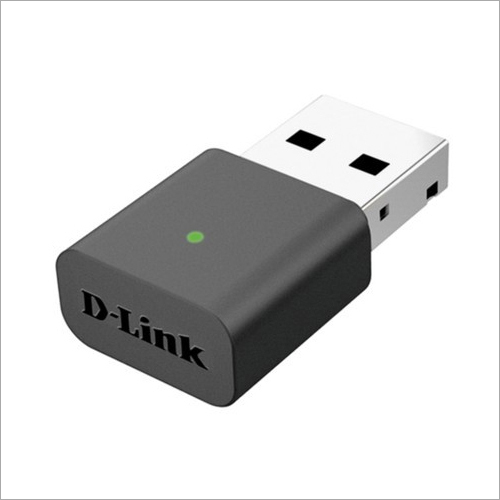
Tell us about your requirement

Price:
Quantity
Select Unit
- 50
- 100
- 200
- 250
- 500
- 1000+
Additional detail
Mobile number
Email

More Products in Networking Devices Category
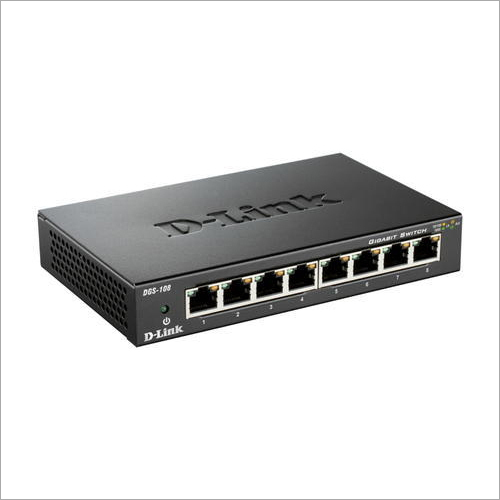
Dlink Gigabit Switch
Price 90 INR / Piece
Minimum Order Quantity : 10 Pieces
Port : 8 x 10/100/1000Mbps RJ45 ports
Features : Plug & Play Installation, Auto MDI/MDIX, IEEE 802.3az EnergyEfficient Ethernet
Weight : 380g
Operating Temperature : 0C to 40C
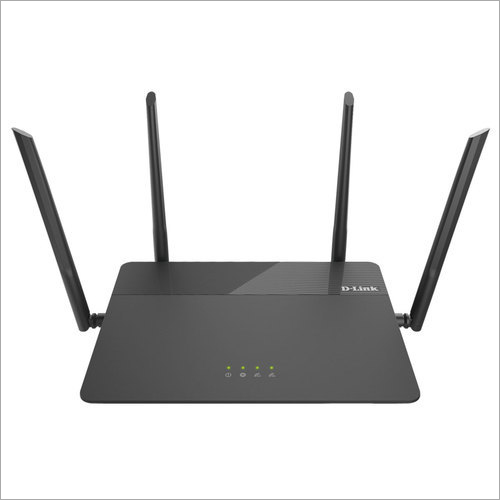
D-Link Wi-Fi Router
Price 90 INR / Piece
Minimum Order Quantity : 10 Pieces
Port : 4 x 10/100Mbps LAN, 1 x 10/100Mbps WAN
Features : Wireless encryption, Parental control, Guest network, QoS
Weight : 220g
Operating Temperature : 0C to 40C
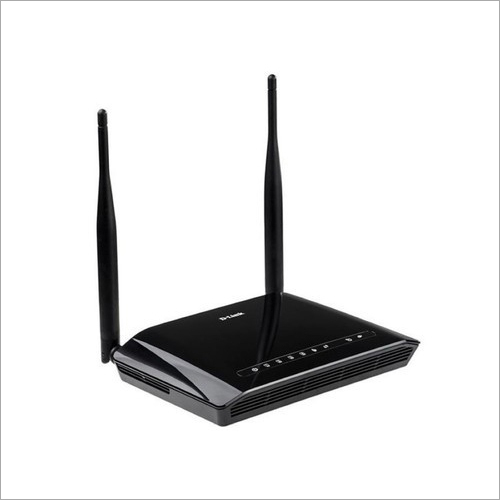
D-Link Modem Router
Price 90 INR / Piece
Minimum Order Quantity : 10 Pieces
Port : 1 x RJ11 (ADSL), 4 x RJ45 (LAN), 1 x RJ45 (WAN), 1 x Power Port
Features : Builtin firewall, QoS, Parental Control, VPN passthrough, NAT, Port Forwarding
Weight : Approx. 250g
Operating Temperature : 0C to 40C
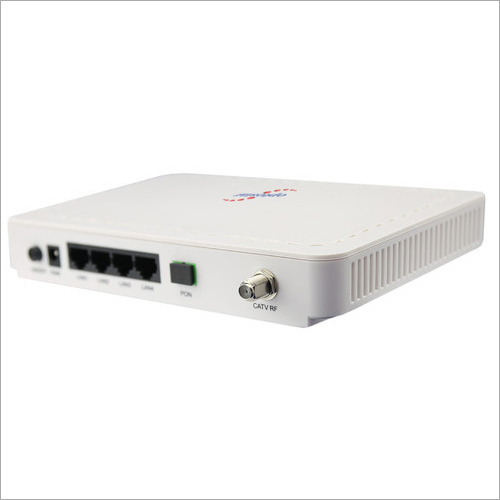
Optical Network Unit
Price 90 INR / Piece
Minimum Order Quantity : 10 Pieces
Port : 1 x Gigabit Ethernet Port (RJ45), 1 x Fiber Optic Port
Features : Plug and play, low power consumption, highspeed data, compact design, remote management
Weight : Approx. 200 grams
Operating Temperature : 5C to +55C

We Deal Only in West Bengal and Eastern Region of India

 Send Inquiry
Our Products

5, Princep Street, Opposite - Hotel Minerva, Ground Floor, Kolkata - 700072, West Bengal, India

Mr Vikash Minda
(Owner)
Mobile :07317168935
 Send Inquiry
 Send SMS
Developed and Managed by Infocom Network Private Limited.
