
Call us now :07317168935
 Send Inquiry
 Send Inquiry
D-Link Modem Router
Price 90 INR/ Piece
MOQ : 10 Pieces
D-Link Modem Router Specification
- Remote Control
- Yes
- Port
- 1 x RJ11 (ADSL), 4 x RJ45 (LAN), 1 x RJ45 (WAN), 1 x Power Port
- Frequency
- 2.4GHz
- Weight
- Approx. 250g
- Usage & Applications
- Home and SOHO internet broadband connectivity
- Dimension (L*W*H)
- 180 mm x 125 mm x 32 mm
- Antenna
- 2 Fixed external antennas (5dBi each)
- Network Device
- D-Link Modem Router
- Power Supply
- 12V DC, 1A Adapter
- Features
- Built-in firewall, QoS, Parental Control, VPN pass-through, NAT, Port Forwarding
- Device Type
- ADSL2+ Wireless Modem Router
- Power Consumption
- < 12W
- Interface Type
- RJ11 for DSL, RJ45 for Ethernet
- Operating Temperature
- 0C to 40C
- IP Routing
- Static and Dynamic Routing
- Connectivity Type
- Wired & Wireless (802.11n)
- Number Of Ports/Pins
- 5 (1 DSL, 4 LAN)
- Cable Length
- 1.5 meters (standard power and Ethernet cable included)
- Firmware Upgrade
- Web-based firmware upgrade supported
- Backup & Restore
- Settings Backup and Restore Supported
- Security
- WEP, WPA, WPA2, WPA-PSK/WPA2-PSK
- WPS Support
- Yes (Wi-Fi Protected Setup)
- Supported Protocols
- IPv4, IPv6, PPPoE, Bridge, Dynamic/Static IP
- Firewall Capabilities
- SPI, DoS Protection, MAC/IP/URL Filtering
- Mounting Option
- Desktop & Wall-Mountable
- Wireless Speed
- Up to 300Mbps
- LED Indicators
- Power, DSL, Internet, WLAN, LAN (4)
- Reset Function
- Physical Reset Button
D-Link Modem Router Trade Information
- Minimum Order Quantity
- 10 Pieces
- Supply Ability
- 5000 Pieces Per Month
- Delivery Time
- 2-4 Days
About D-Link Modem Router
Empowered with cutting-edge technology and high-tech machines, we are engaged in giving a distinctive range of D-Link Modem Router. It is manufactured using premium quality raw material from the reliable vendors. D-Link Modem Router helps to connect more than one computer to a single DSL line for internet access.
Specification
| WAN Ports | 4 |
| Brand | D-Link |
| Connectivity Type | Wireless or Wi-Fi |
| Frequency | 2.4 GHz |
| Network Speed | 300 Mbps |
| Ethernet Network | x4 |
| Router Type | Modem Router |
| Technology | Wireless-N |
High-Speed Reliable Connectivity
Experience stable internet with wireless speeds up to 300Mbps, perfect for streaming, online gaming, and video conferencing in residential or small office environments. Two fixed 5dBi antennas enhance coverage, ensuring strong connectivity throughout your space.
Comprehensive Security Features
Safeguard your network with an array of security protocols, including WEP, WPA, WPA2, and WPA-PSK/WPA2-PSK. The built-in firewall, supported by SPI and DoS protections, along with MAC/IP/URL filtering, fortifies your network against external threats.
Easy Setup and Advanced Management
Simplify installation through the web-based management interface, or use the WPS feature for quick wireless connections. Enjoy convenient web-based firmware upgrades, and safeguard your settings with backup and restore options. Wall-mount and desktop installation are both supported for flexible placement.
FAQs of D-Link Modem Router:
Q: How do I set up my D-Link Modem Router for the first time?
A: Connect the router to a power source using the included 12V DC adapter, and link your DSL line to the RJ11 port. Access the web-based setup via a browser, follow the on-screen steps for internet configuration, and secure your wireless network using the recommended WPA2 security protocol.Q: What security measures does this router offer to protect my network?
A: The D-Link Modem Router provides multiple layers of security, including WEP, WPA, WPA2, and WPA-PSK/WPA2-PSK encryption. Its built-in firewall with SPI and DoS protection, plus MAC/IP/URL filtering, helps prevent unauthorized access and threats.Q: When should I upgrade the routers firmware and how is it done?
A: Firmware upgrades enhance performance and security. Check for updates periodically by logging into the routers web-based management interface. Follow the prompts to securely download and install the latest firmware version online.Q: Where can I place the router for optimal performance?
A: The router can be positioned either on a desktop or mounted on a wall. For best coverage, place it in a central location, away from obstructions and electronic interference, to maximize wireless signal distribution.Q: What is the process for resetting the router to factory settings?
A: To reset the router, press and hold the physical reset button, usually located at the device bottom or rear, for a few seconds. This will restore all settings to factory defaults; configuration will need to be re-entered afterward.Q: How can I benefit from the Quality of Service (QoS) feature?
A: QoS allows you to prioritize bandwidth for specific devices or applications, such as video streaming or gaming, ensuring smooth and uninterrupted connectivity where it matters most.Q: What are the usage applications suitable for this modem router?
A: Designed for home and small office/home office (SOHO) environments, this router supports a range of internet broadband connections, providing both wired and wireless connectivity, parental control, VPN pass-through, and firewall security for versatile and safe usage.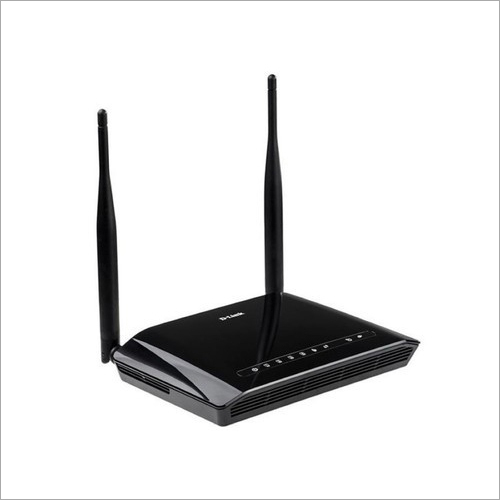
Tell us about your requirement

Price:
Quantity
Select Unit
- 50
- 100
- 200
- 250
- 500
- 1000+
Additional detail
Mobile number
Email

More Products in Networking Devices Category
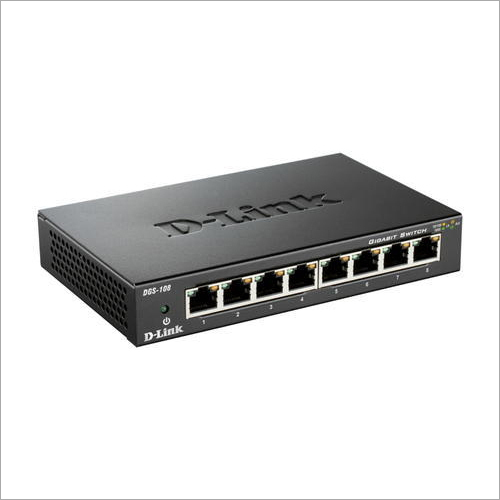
Dlink Gigabit Switch
Price 90 INR / Piece
Minimum Order Quantity : 10 Pieces
Features : Plug & Play Installation, Auto MDI/MDIX, IEEE 802.3az EnergyEfficient Ethernet
Network Device : Other, Gigabit Ethernet Switch
Operating Temperature : 0C to 40C
IP Routing : Unmanaged, No Routing
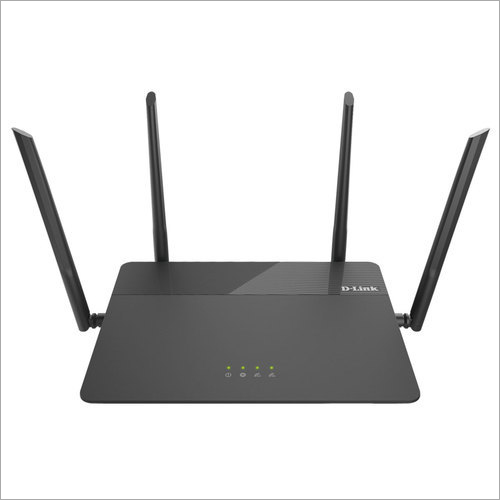
D-Link Wi-Fi Router
Price 90 INR / Piece
Minimum Order Quantity : 10 Pieces
Features : Wireless encryption, Parental control, Guest network, QoS
Network Device : Other, WiFi Router
Operating Temperature : 0C to 40C
IP Routing : Supports Static and Dynamic Routing
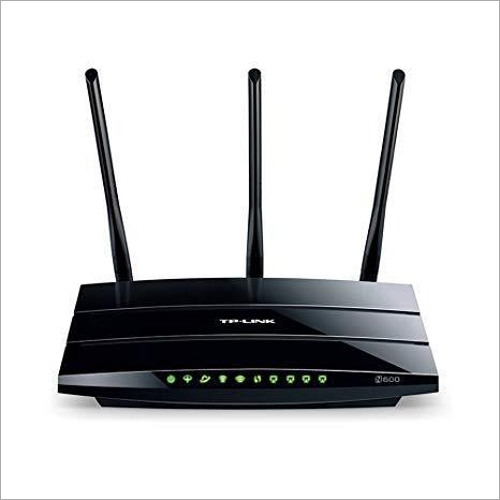
TP-Link Wireless Router
Price 90 INR / Piece
Minimum Order Quantity : 10 Pieces
Features : Easy setup, wireless encryption, bandwidth control
Network Device : Other, TPLink Wireless Router
Operating Temperature : 0C ~ 40C
IP Routing : Supported with static and dynamic routing
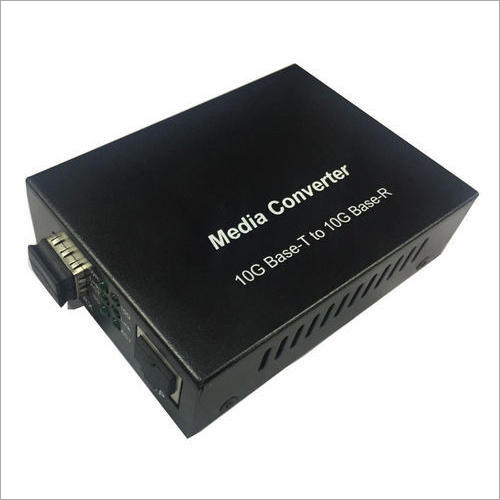
Media Converter
Price 90 INR / Piece
Minimum Order Quantity : 10 Pieces
Features : Auto MDI/MDIX, LED status indicators, Plug & Play, IEEE 802.3ab/z compliant
Network Device : Other, Yes
Operating Temperature : 0C to 50C
IP Routing : No

We Deal Only in West Bengal and Eastern Region of India

 Send Inquiry
Our Products

5, Princep Street, Opposite - Hotel Minerva, Ground Floor, Kolkata - 700072, West Bengal, India

Mr Vikash Minda
(Owner)
Mobile :07317168935
 Send Inquiry
 Send SMS
 Call Me Free
Developed and Managed by Infocom Network Private Limited.
